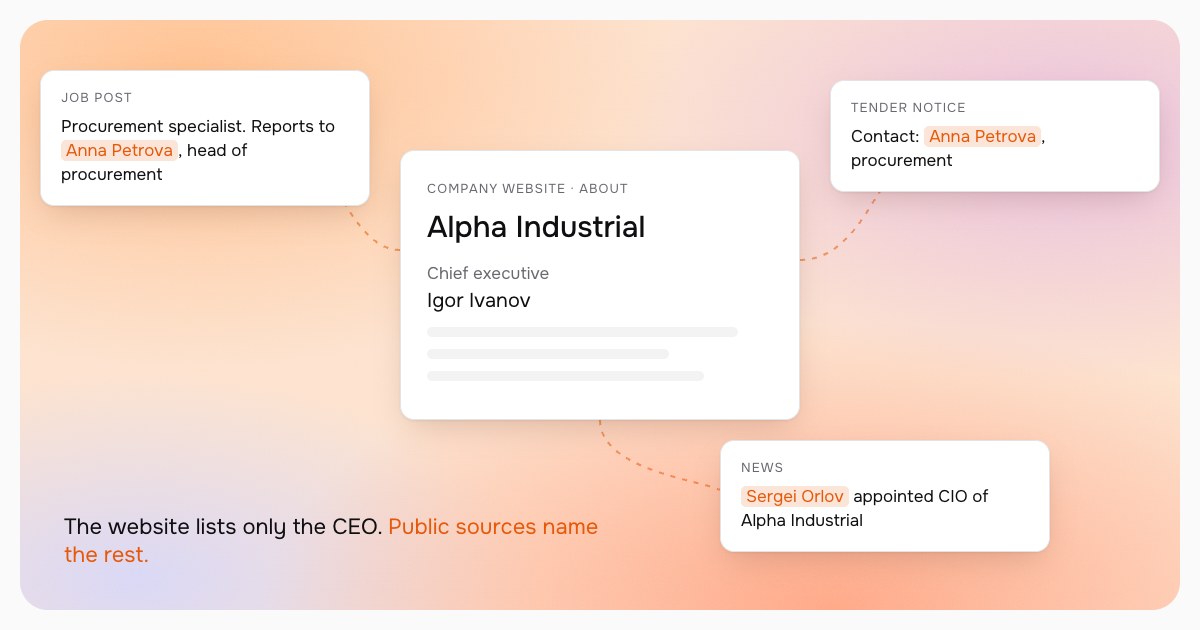
Finding the CEO is easy: they are on the website, in the company registry and in the news. But in B2B the buying decision is often made by someone else. The chief engineer picks the equipment, the IT director approves the software, procurement runs the contract and the CFO signs off the budget. Write only to the CEO and your message gets forwarded down without context, and you lose a week.
Why decision makers are "impossible to find"
It usually goes like this: a rep opens the company listing, sees the CEO and writes to them. Then at the team meeting you hear "there's no way to find anyone below the CEO". In fact you almost always can. It is just long, tedious work: go through the website, the news, job posts and tenders, match the names and check the person still works there. It gets skipped because it is a grind, not because it is impossible.
That grind is paid for in lost sales. The message to the CEO gets forwarded down without context or gets lost, and the person who actually picks the vendor hears about you last. Or never: a competitor who spent the extra half hour on research got there first.
Here are seven public sources where the right people usually show up.
1. The company website, beyond the home page
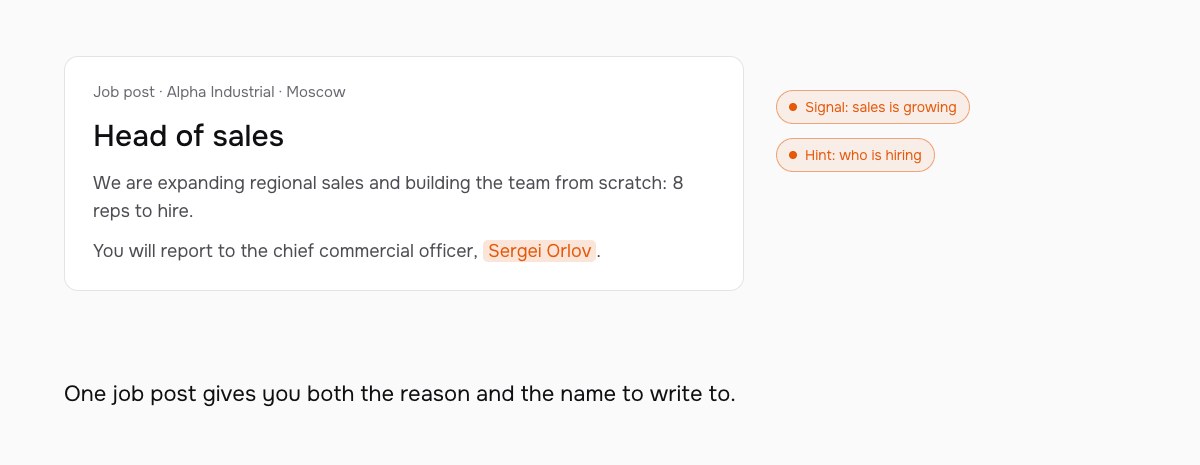
Look at "Team", "Leadership", "About" and "Press" pages. They often list heads of departments. Job pages help too: a posting usually says who the role reports to, which shows how the team is structured.
2. News and press releases
Appointments, new sites, large contracts: in these announcements the company names people and their roles itself. Search for the company name together with words like "appointed", "head of" or "director of".
3. Conference talks
Industry conferences publish programmes with speakers and their titles. Someone who spoke about procurement or digital transformation almost always influences decisions in that area. Bonus: you already have a topic for the first message.
4. Interviews and columns
Trade media interview department heads. An interview shows not only the role but the person's priorities: what they are building this year and what is in the way.
5. Job postings
A senior opening in a team your product serves is both a signal and a hint. The company is growing in that direction, and the posting shows the hiring manager and how the team is organised.
6. Public tenders
When a company buys through public tenders, the documents usually name a contact person. That is who runs the purchase, and often the right person for the next one.
7. Company registries
Registries show the legal entity's director and owners. That is not always your decision maker, but it confirms the CEO has not changed and reveals related companies in the group.
How to check the data is current
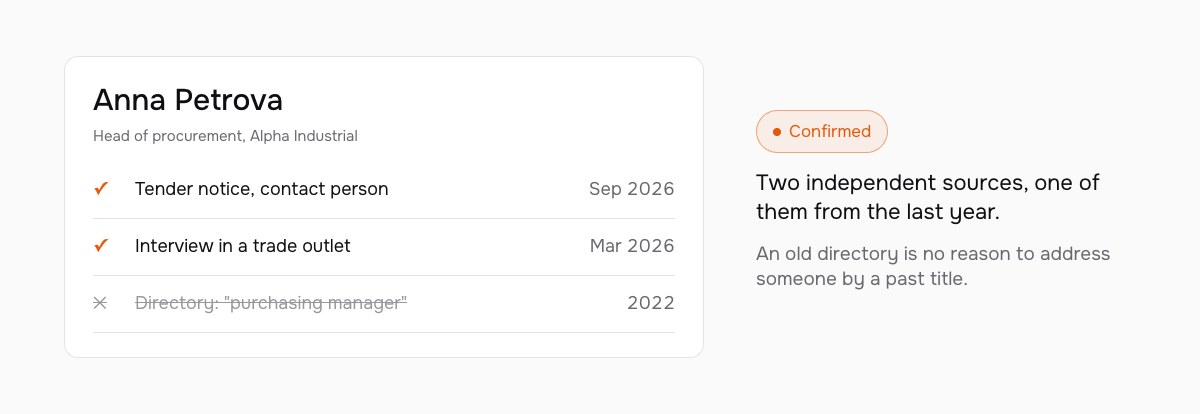
People change jobs, and directories age faster than you think. A simple rule: a title should be confirmed by at least two independent sources, and at least one of them should be recent, within the last year. One old article is not a reason to write to someone under their previous title.
How long this takes
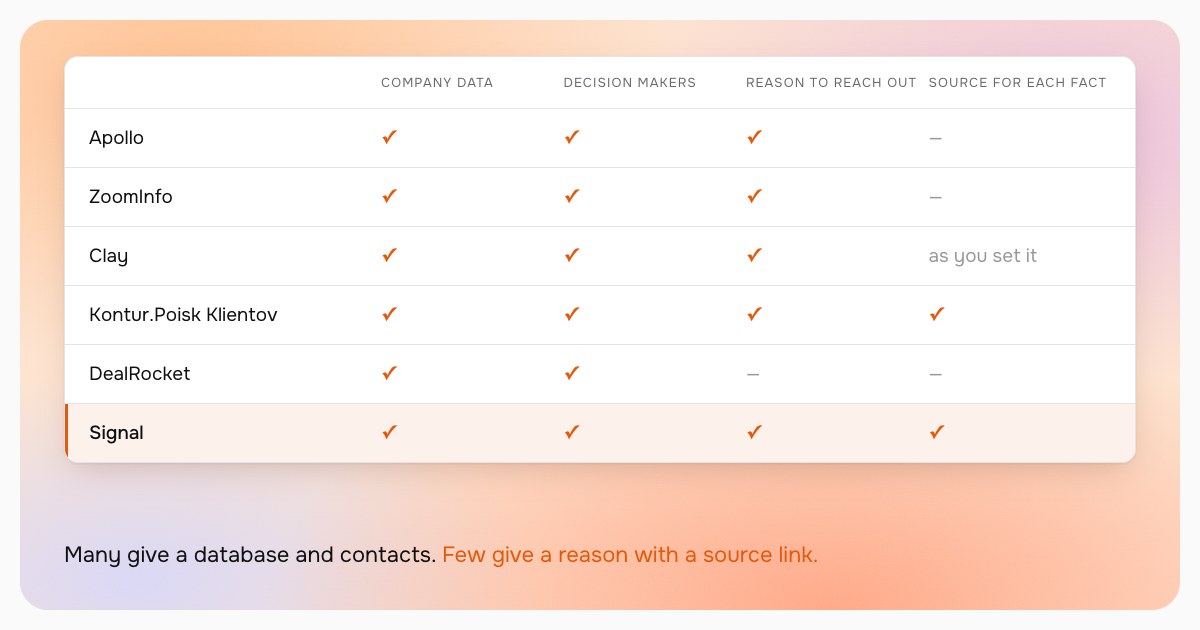
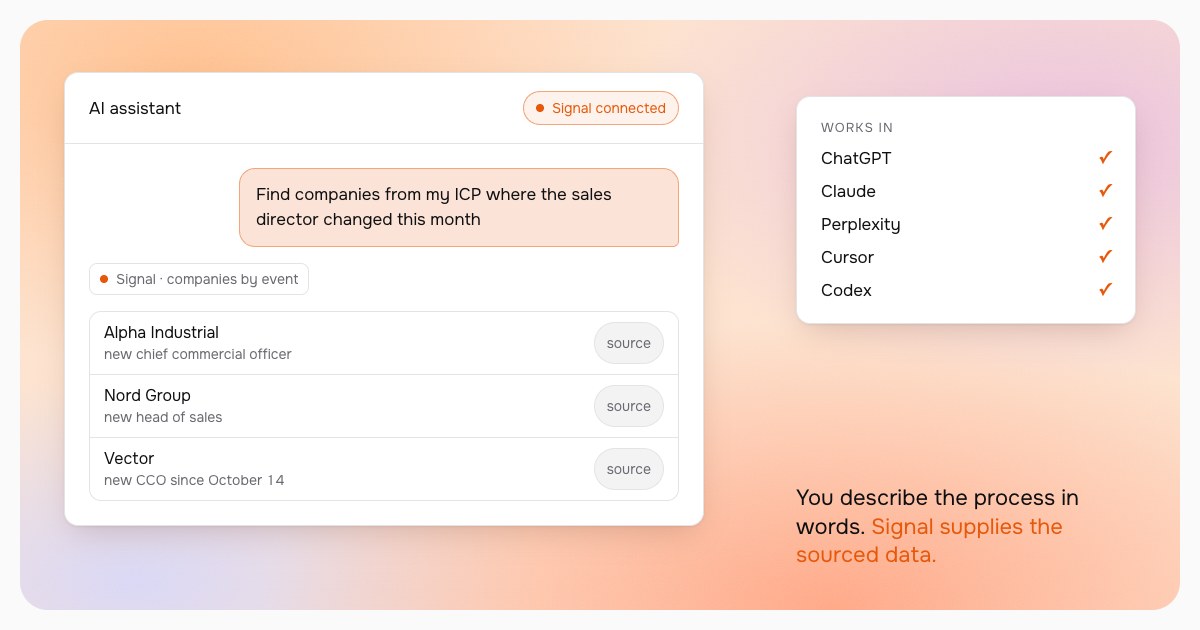
Doing it by hand across all sources takes 15 to 30 minutes per person, so one to two hours for a company with four decision makers. That is the work Signal takes over: it gathers people and roles from public sources, cross-checks them and shows a source link for every fact.